Articles and guides

מה הופך את Shopify App Store ליתרון תחרותי Article tag: אוטומציות
  • Article author: By מורן זיו
  • Article published at:
What makes the Shopify App Store a competitive advantage?
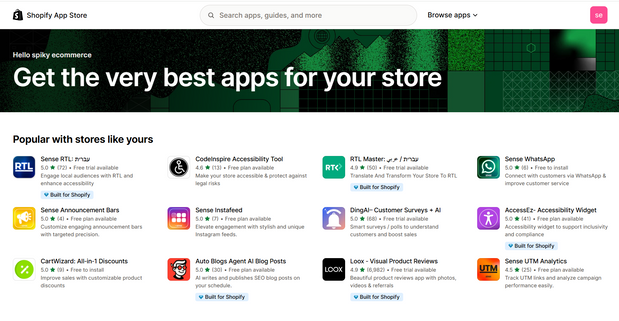
Shopify App Store Shopify covers the basics of any store, and everything beyond - there's a huge app ecosystem that allows you to adapt, accelerate growth, and maintain flexibility without compromising performance. Reading time: ~6 minutes TL;DR: Over 8,000 apps, a rigorous review process, a recommendation algorithm based on similar stores, and the ability to adapt to almost any need. The goal is to build a lean set of apps that brings measurable value, without duplication and without slowdowns. What are the apps for anyway? Speed ​​of implementation: advanced features without development from scratch. Flexibility: Change, test, and A/B before making a long-term decision. Scale: Most applications were built to meet the loads of large stores. Cost-effective: Add functionality as needed, paying only for what you use. How to choose the right one? A short checklist Clear goal: What is the metric we want to improve, conversions, AOV, uptime. Performance impact: How many scripts are loaded, is there support for App Blocks and Checkout Extensibility. Compatibility: format, language, currency, with existing applications. Pricing: Monthly model, pay-as-you-go fees, trial period. Support and documentation: guides, chat, update rate, ratings and reviews. Security and privacy: what permissions are required, backing up and exporting data. What's special about the Shopify App Store? Huge variety: more than 8,000 apps for every need, design, marketing, operations, checkout, shipping. Rigorous testing: Each app undergoes a review with over a hundred check points before publishing. Smart Recommendations: Performance-based suggestions from similar stores, less guesswork and more accuracy. Main categories in brief Categories: Sales Channels, Product Discovery, Product Selling, Orders & Shipping, Store Design, Marketing & Conversion, Store Management Top categories: Dropshipping, Marketplaces, Product Reviews, Upsells and Bundles, Email Marketing, SEO, Shipping, Currency, and Translation. Recommended apps by stage and need Starter set for a new store Product Reviews: Automatically collect and update reviews with images. Email marketing: pop-ups, cart abandonment series, regular mailings. Upsells and bundles: Complete offers on the product page and checkout. Basic SEO: meta, URL optimization, schemas. Translation and currency: localization for target countries. Growth set for an active store Loyalty and referrals: points, benefits, affiliate program. Advanced search and filters: Improved product detection, Smart Sort. Smart shipping and pricing: dynamic rates, packages, store pickup. Analytics and pixel implementation: centralized pixel management, conversion events. B2B set Pricing by customer, price lists: wholesale accounts, minimum order. Quick quotes and ordering: ordering tables, CSV files. Customized payment and shipping terms: Net Plus, credit, multi-address shipping. Recommended workflow for implementation Needs mapping: a list of goals and metrics, without rushing to install. Initial screening: 2-3 candidate apps for each need, tested against the template and existing set. Measurable pilot: -Installation in a test environment or calm time window, running logs and conversion metrics. Security hardening: reducing permissions, checking data exports and backups. Performance hardening: Lighthouse testing before and after, load time monitoring. Unification of the application set: removal of duplicates, conflict checking, full documentation. Common mistakes to avoid Over-installation: Too many apps without measurement, slowdowns and conflicts. Incompatibility: Mixing applications that inject old code into modern sections. Lack of documentation: There is no Owner for each application, no description of what it does. Privacy disregard: Broad permissions, no deletion or export policy. Frequently Asked Questions How do I know if an app matches my template? Look for support for App Blocks and Online Store 2.0, check for installation guides for common templates, and try a live demo. If you have a test environment, it's best to check there first. You can switch between apps without losing data. Check for export capabilities, e.g. CSV reviews, leads, subscription lists. If no export, consider a mediation tool or API import. How to make sure performance is not compromised Check ZRT, network requests, package size, and number of scripts. Prefer apps with App Blocks and server-side implementations where possible. Resources for further study Shopify Help Center: Official installation and operation guides. API documentation: For developers who want dedicated customizations. Shopify Community: Answers from the field, tips, community events. Shopify Blog, Research: Trends, Customer Stories, A/B Testing.
Read article
חנות אינטרנטית מחיר: כמה באמת עולה להקים חנות אונליין? Article tag: אינטגרציות
  • Article author: By SPIKY TEAM
  • Article published at:
Online store price: How much does it really cost to set up an online store?
Online store price, how much does it really cost to set up an online store? We break down the costs, from the platform to CRO, so you can go live without surprises. Reading time: ~5 minutes TL;DR: Cost depends on scale and needs. You can start basic with relatively low costs, or invest in custom design and development to maximize conversions in the long run. It's important to plan ahead for platform, plugins, checkout, shipping, and CRO. Why is everyone asking now how much does an online store cost? More businesses are moving to online sales and are asking the obvious question, how much does it cost to set up an online store? Here we will help you target your budget and avoid surprises. What affects the final price? Commerce platform: Shopify, WooCommerce or another solution. Design and development: ready-made template or custom design. Plugins and integrations: payments, shipping, marketing. CRO: Improvements that actually increase conversions. Hosting and domain: ongoing costs. Marketing and promotion: SEO, campaigns, content. Sample cost ranges Basic store Shopify Basic, $29/month Ready-made template, $100 to $200 one-time Basic setup, 5,000 to 10,000 NIS Custom shop Design and development, respectively, 15,000 to 60,000 NIS Special integrations, 2,000 to 10,000 NIS as needed CRO to increase sales, 5,000 to 20,000 NIS CRO, how to turn more visitors into customers An online store is a shopping experience. Many stores convert only 1 to 3 percent of their visitors. To improve: Short buying process: fewer steps to payment, fewer abandonments. User reviews: Trust that translates into purchases. Photos and descriptions: high-quality, clear and convincing. Tempting offers: coupons, promotions, and bundles that increase your basket. Mobile is great: Most purchases happen on a smartphone. Summary The cost depends on the scope of the project and goals. You can start with a basic store for a few thousand, or you can invest in customized design and development that will generate more sales over time. Proper planning and budget allocation between platform, user experience, and CRO will help you reach your goals faster. Want your online store to sell more? At Spiky, we will tailor a setup or upgrade to your exact needs and budget. Talk to us Tags Budget CRO Shopify Online Store
Read article
האם כדאי לשדרג לתבנית בתשלום ב-Shopify? המדריך המקצועי לבחירה הנכונה Article tag: אינטגרציות
  • Article author: By Nissan mizrahi
  • Article published at:
Should You Upgrade to a Paid Shopify Template? The Professional Guide to Choosing the Right One
Choosing a Shopify template is a strategic decision that shapes the user experience, impacts site speed, and improves the sales process. While free templates provide a basic solution, paid templates offer advanced functionality, custom designs, and professional support. Before you upgrade, it is important to understand the advantages, disadvantages, and costs involved, as well as choose the template that best suits your field of activity. 1. What do paid templates on Shopify include? Paid templates offer a wide range of Advanced features which are not always available in free templates, which improves customer experience and business performance. Key features of paid templates: Responsive design – Fully compatible with all types of screens, including mobile and tablets. Advanced navigation menus – Mega Menu support for large and extensive menus. Dynamic product display – Customizable video, animations, and images. Customization options – Choice of colors, fonts, and diverse layouts. Full SEO support – Code structure optimized for search engines to improve Google rankings. Built-in integration with social networks – Tools for sharing and creating engagement. Inventory counter – Displays the number of items remaining for sale in real time, to create a sense of urgency. Built-in blog – Allows the creation of content for organic promotion (SEO). Regular updates and technical support – Access to technical support from the template developers. 2. Popular Template Categories on Shopify Choosing the right template depends on the industry your store is in. Shopify offers different templates tailored to specific needs: category Description Fashion and Lifestyle Large product displays, minimalist design, and advanced filters. Electronics and gadgets Templates with technical specifications, product reviews, and advanced navigation. Furniture and interior design Templates with large catalogs, 3D visualizations, and a clean style. Jewelry and accessories Luxurious designs, close-up displays, and features for customized product display. Food and drinks Nutritional information, repeat orders, and the possibility of building customer clubs. Health and beauty Large product images, branded content, and support for monthly subscriptions. 3. Recommended Shopify Templates by Industry Prestige – ideal for luxury fashion stores ✓ Modern and elegant appearance ✓ Impressive product display with the option for brand stories ✓ Functions tailored to luxury retail Motion – Perfect for creative brands ✓ Video displays and dynamic animations ✓ Advanced user experience with smooth movement ✓ Suitable for stores that focus on visuals Empire – for stores with a wide product catalog ✓ Smart filtering tools and advanced hierarchical structure ✓ Suitable for stores with a large number of categories ✓ Smooth user experience for high traffic websites Pipeline – Fast and modern user experience ✓ Ultra-fast charging ✓ Dynamic layouts with easy navigation ✓ Suitable for interior design, furniture and accessories stores Impulse – for websites with strong branding ✓ Suitable for sports, fashion and lifestyle businesses ✓ Possibility of advanced marketing campaigns ✓ Intuitive navigation to improve the customer experience 4. Why is it recommended to purchase an original template from the official Shopify store? Some users consider purchasing templates from third-party providers like ThemeForest. However, official Shopify templates offer several significant advantages over third-party templates. Updates and stability Official Shopify templates are updated regularly, maintaining full compatibility with platform upgrades. Templates from ThemeForest sometimes don't update in a timely manner, which can cause compatibility issues after Shopify updates. Technical support Official templates come with direct support from Shopify or the template developers, including comprehensive documentation. Third-party templates provide limited support, and support is often dependent on an independent developer who may stop maintaining the template. Code quality and performance The official templates are tested by Shopify and offer clean and optimized code, optimized for high performance and fast loading. External templates may contain suboptimal code or be loaded with unnecessary add-ons, which could harm site speed and user experience. Shopify platform compatibility Official templates are perfectly adapted to all Shopify changes and updates, including a responsive user experience. External templates are not always compatible with new versions of Shopify, which can cause errors in website functionality. Security and reliability Official templates are approved by Shopify, so they are considered safe and free of problematic code. Third-party templates may contain custom code that could be problematic in terms of website security. Integrations and plugins Official templates integrate well with most Shopify apps and tools, ensuring a seamless user experience. External templates are not always compatible with Shopify tools and sometimes require manual adjustments. Conclusion: Choose wisely and play it safe. Although external templates may be cheaper, they can cause future problems. If you want A stable, fast, secure and well-maintained website , it is recommended to invest in a template Official Shopify . This way you will ensure a professional store that will stay up to date and functional over time. 💡 Our recommendation: It is always better to buy Original templates from the official Shopify store , because they are carefully tested, receive regular updates, and are optimally compatible with the entire platform. 5. Bottom line – How to choose the most suitable template? If you are looking for a significant upgrade that will strengthen your brand , Will improve the purchasing experience To optimize performance , a paid template is a cost-effective choice. On the other hand, if your store is still in the growth stages, you can start with a free template and move to a paid template later. How to choose the right template? ✔ Check which functions you need – don’t pay for what’s not necessary. ✔ Try the demo version of the template before purchasing. ✔ Make sure the template is mobile-friendly and fast-loading. ✔ Choose a template that suits the nature of your business, not just the design. ✔ Always prefer Official Shopify Templates To avoid crashes and compatibility issues. Have you decided to upgrade? Don't forget to check your metrics! ✔ Bounce rate – Do customers stay on the site longer? ✔ Charging time – Does the site load faster? ✔ Conversions and purchases – Did the change increase sales? In conclusion , switching to a paid Shopify template can be A smart strategic move If you choose correctly and adapt it to the goals of the business. The important question is Not whether to upgrade – but when and how . successfully! Nissan Mizrahi SPIKY DIGITAL Team
Read article
אתגרים בשופיפיי פלוס: מה חשוב לדעת לפני השדרוג Article tag: Shopify Plus
  • Article author: By Nissan mizrahi
  • Article published at:
Shopify Plus Challenges: What to Know Before Upgrading
Challenges in Shopify Plus, what's important to know before upgrading Shopify Plus provides power and growth, but requires technical and operational preparation. This way you know what to expect and how to overcome obstacles. Reading time: ~6 minutes TL;DR: Plus adds Checkout Extensibility, Functions, and B2B capabilities, but still has limitations in dynamic pricing, ERP integrations, variants, and support. Build a hybrid solution, Functions for rules, Apps where it saves time, Flow for automation, and a technical partner who knows the nuances. 1) Flexibility on the payment page More advanced customizations are possible than standard programs, but customized fields and deep integrations require Extensions or Functions. Solution: Use Shopify Functions to define rules, Checkout UI Extensions for components, and dedicated apps where needed. 2) Discounts and dynamic pricing There are Scripts and Functions, but full differential pricing by user or group is not fully built in. Solution: Discount rules in Functions, price tables through Apps, and B2B policies by customer groups. 3) Integration with ERP and CRM Deep joins often require intermediaries or dedicated development, especially in field mapping and error control. Solution: Custom API, Integrator.io or Celigo for varitory scheduling, and Flow for pre-send validations. 4) B2B budget and order management Shopify B2B is powerful, but there is no built-in mechanism for monthly or quarterly budgets. Solution: Metafields for per-customer budget, Flows for basket limitation and approval, and customized budget reports. 5) Variants and inventory Complex variant management or advanced kitting will often require third-party applications. Solution: Matrixify for massive catalog management, apps for extended variants, and display rules with Functions. 6) Technical support Dedicated support is available, but for integration or architecture issues you will sometimes need an expert partner. Solution: Working with a Plus Partner agency, defining an internal SLA, and fully documenting integrations. Table of challenges and solutions challenge How to solve Owner Custom fields at checkout Checkout UI Extensions, validations with Functions Frontend Pricing by groups Apps for differential pricing, general functions for discounts Commerce Two-way ERP Integrator.io, Field Mapping, Retry, and Scheduling Windows Integrations B2B budget management Metafields, Order Blocking Flow, Multi-Layer Approval Oops Complex variants Matrixify, Bundling Apps, Smart Display Rules Catalog Support for complex questions Plus Partner, internal playbooks and documentation PM Best Practices for Upgrading a Part Proof of Concept: Build a test environment with POS, B2B, and pricing flows before a full transition. Organized catalog: uniform option names, handling problematic variations in advance. Integrations in stages: start with one-way reads, add writes only after monitoring. Measurement: Set KPIs, CVR at checkout, AOV, load time, number of integration failures. Fallback: Playbook for rollback, and customer service ready for exceptions in the first week. Considering upgrading to Shopify Plus At SPIKY DIGITAL, we will build the right architecture, implement functions and extensions, connect ERP and CRM, and measure results. Talk to us
Read article
מיגרציה חכמה לאתר איקומרס, דגשים מרכזיים Article tag: אינטגרציות
  • Article author: By Nissan mizrahi
  • Article published at:
Smart migration to an ecommerce site, key highlights
Moving an e-commerce store from one platform to another is A complex strategic process that requires early planning, precise data management, and full customization for user experience. Not only in transferring products and data , but in ensuring Business continuity , maintaining organic rankings on Google, and improving the purchasing processes on the site.
Read article